Your subscription decides which channels you get. Your device decides how good they feel to watch: how fast channels switch, how smooth sport looks and which apps you can install. Choosing the best device for IPTV is one of the cheapest upgrades you can make.
Best device for IPTV: quick comparison
| Device | Best for | Top IPTV apps | Watch out for |
|---|---|---|---|
| Fire TV Stick 4K / 4K Max | Best value | IBO Player Pro, TiviMate | Apps installed with Downloader; limited storage |
| Android TV / Google TV box | Most app choice | IBO Player Pro, TiviMate, XCIPTV | Quality varies a lot between cheap boxes |
| Nvidia Shield TV | Power users and sport | TiviMate, Kodi | Higher price |
| Apple TV 4K | Apple households | IBO Pro Player, iPlayTV, IPTVX | Best apps are paid; no TiviMate |
| Samsung / LG Smart TV | No extra device | IBO Player Pro, SET IPTV | Slower; fewer apps; MAC activation (free with ivoraTV) |
| Roku | Last choice | IBO Player Pro (when in your store) | Very few IPTV players |
Amazon Fire TV Stick: best value
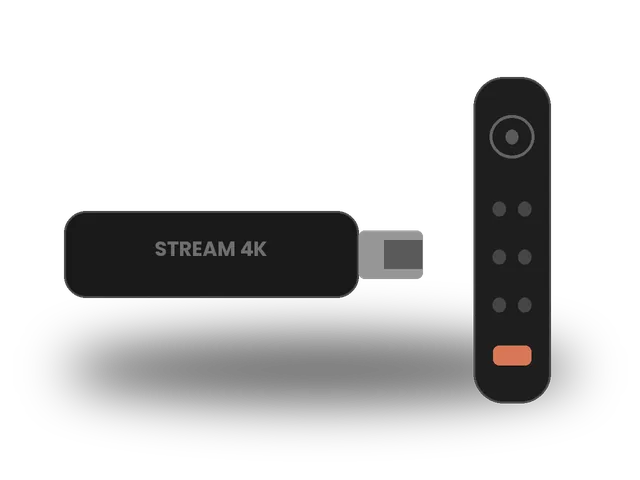
The Fire TV Stick 4K and 4K Max are the most common IPTV devices for good reason: they are cheap, plug straight into HDMI and run IBO Player Pro and TiviMate well. Choose the 4K Max if you can: the extra memory makes a difference with big channel lists. Follow our Firestick setup guide.
Android TV and Google TV: most choice
Chromecast with Google TV, good Android TV boxes and many Sony, TCL and Hisense TVs run every major IPTV app from the Google Play Store, no workarounds needed. Avoid unbranded boxes with unknown software: they are often slow and rarely updated. See the Android TV guide.
Nvidia Shield: the enthusiast choice
The Shield is older but still one of the fastest Android TV devices. It switches channels instantly, handles 4K and 60 fps sport without effort and has Ethernet built in. If you watch a lot of live sport, it is worth the price.
Apple TV 4K: smooth and premium
Apple TV 4K gives one of the most polished experiences, with excellent picture quality and a fast interface. The best IPTV apps on tvOS are paid, but they are very good. Setup steps: IPTV on Apple TV.
Smart TV apps: convenient but limited
Watching directly on a Samsung or LG TV means no extra box, but TV processors are slower and the app choice is smaller. Apps such as IBO Player Pro link your subscription to the TV’s MAC address; with ivoraTV you send us the code and we activate it for you. Many people start on the TV, then add a Firestick for a better experience. Steps: IPTV on Smart TV.
What about Roku?
Roku is popular in the US but it is the weakest choice for IPTV, because the Roku store has very few IPTV players. Read can you watch IPTV on Roku? for the workarounds.
What to look for in the best device for IPTV
- Memory (RAM): 2 GB or more keeps big channel lists and TV guides smooth.
- Storage: 8 GB or more, so apps and the guide cache have room.
- Network: an Ethernet port (or adapter support) and Wi-Fi 5 or Wi-Fi 6.
- Video: 4K HDR and HEVC (H.265) support if you have a 4K TV.
- Updates: a well-known brand that still gets software updates.
Best device for IPTV by budget
| Budget | Recommended device | Why |
|---|---|---|
| Lowest cost | Fire TV Stick 4K | Cheap, simple, runs the best apps |
| Mid-range | Fire TV Stick 4K Max or Chromecast with Google TV | More memory, faster menus |
| Premium Android | Nvidia Shield TV | Fastest for TiviMate and sport |
| Premium Apple | Apple TV 4K | Polished, great picture |
Devices to avoid
Avoid very cheap, unbranded “fully loaded” Android boxes. They often run old, unsupported software, are slow with large playlists, and some come with apps pre-installed from unknown sources. A branded streaming stick costs about the same and is far more reliable.
Check the specs before you buy
Model names change every year, so check the official specifications of any device before you buy. Amazon lists every Fire TV model on its Fire TV device specifications page. Look for 4K output, HEVC support, at least 2 GB of RAM if you can, and an Ethernet option. Those four points matter more than the brand when you choose the best device for IPTV.
Our verdict on the best device for IPTV
For most homes, a Fire TV Stick 4K Max or a Google TV streamer gives the best balance of price, speed and apps. Enthusiasts who want the smoothest TiviMate experience should look at the Nvidia Shield. Apple households will love Apple TV 4K. And if you already have a recent Samsung or LG TV, try its built-in apps first: you may not need anything else. Whatever you choose, the best device for IPTV is one connected by cable.
Tips for any device
- Use Ethernet where possible, or 5 GHz Wi-Fi.
- Keep at least 1–2 GB of free storage.
- Pick a device with 2 GB of RAM or more for large playlists.
- Check our best IPTV player apps to pick the right app for your device.
- Something not working on your device? Use our IPTV troubleshooting checklist.
Frequently asked questions
What is the best cheap device for IPTV?
The Amazon Fire TV Stick 4K (or 4K Max) offers the best balance of price, speed and app support.
Is a Smart TV good enough for IPTV?
Yes for occasional viewing. For faster channel switching, smoother sport and more apps, a streaming stick or Android TV box is better.
Can I use TiviMate on Apple TV?
No. TiviMate only runs on Android-based devices and Firestick. On Apple TV, use iPlayTV, IPTVX or GSE Smart IPTV.
Don’t have ivoraTV yet?
Test it for 24 hours for $2 · 14-day refund policy on yearly packs