Choosing the best IPTV player makes a huge difference: the player is the app that loads your channels, the TV guide (EPG), movies and series. Your provider gives you the content; the player decides how comfortable it is to watch. Here is our pick of the best IPTV player for each device in 2026, with the strengths of each one.
Best IPTV player apps: quick comparison
| App | Devices | Price | Best for |
|---|---|---|---|
| TiviMate | Android TV, Google TV, Firestick | Free / Premium | Best TV guide |
| IPTV Smarters Pro | Firestick, Android, Smart TV, Windows, Mac | Free | Beginners |
| XCIPTV | Android, Firestick | Free | Speed |
| iPlayTV | Apple TV, iPhone, iPad | Paid | Apple users |
| GSE Smart IPTV | iPhone, iPad, Apple TV, Android | Free / Pro | Advanced options |
| IBO Player / SET IPTV | Samsung, LG Smart TV | Paid activation | Smart TVs |
| VLC | Windows, Mac | Free | Quick tests (M3U) |
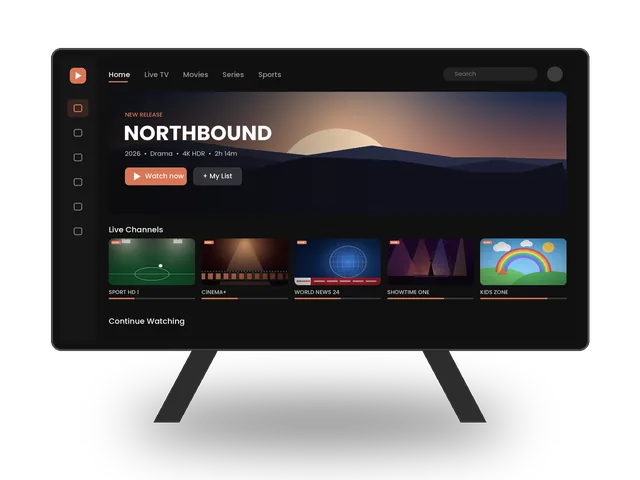
TiviMate: the best TV guide
TiviMate looks and feels like a cable box: a clean grid TV guide, fast channel switching and favorites. The free version is enough for most people; Premium adds catch-up, recording and multiple playlists. Works with Xtream Codes and M3U.
IPTV Smarters Pro: easiest for beginners
Available on almost every device, with separate sections for Live TV, Movies and Series. Login with Xtream Codes takes 30 seconds, which makes it our first recommendation for new customers.
iPlayTV and GSE: for Apple devices
On Apple TV, iPlayTV offers a beautiful native interface and excellent stability. GSE Smart IPTV is a solid free alternative with many settings.
Smart TV apps (Samsung & LG)
Apps like IBO Player and SET IPTV run directly on the TV. You add your playlist on their website using the TV’s MAC address. They usually charge a small one-time activation fee to their developer after a trial period.
XCIPTV: light and fast
XCIPTV is a lightweight player that starts quickly and switches channels fast, which makes it a good choice for older Android boxes and Firesticks. It supports Xtream Codes and M3U, and its interface is simple enough for anyone in the family to use.
VLC: the universal backup
VLC is not a full IPTV app, but it plays M3U playlists on almost any computer. It is perfect for a quick test to check that your link works, or as a backup if your main player has a problem. For daily use, a dedicated player with a TV guide is much more comfortable.
Features to look for in the best IPTV player
- EPG (TV guide): a clear grid guide makes live TV feel like cable.
- Xtream Codes support: loads live TV, movies, series and the guide automatically from one login.
- Favorites and groups: essential when your service has thousands of channels.
- Multiple players inside the app: switching the internal player can solve freezing on some channels.
- Catch-up and recording: nice to have for sports and shows you miss.
- Parental controls: lock adult or specific categories for children.
Download players safely
Install players from official app stores or the developer’s official website. Avoid modified versions of apps from unknown sites: they can contain malware and often stop working after updates. If you are not sure where to download an app for your device, ask us and we will send you the right link.
How to choose the best IPTV player for your device
- Firestick or Android TV: TiviMate (or Smarters if you prefer simplicity).
- Smart TV: IPTV Smarters if available in your store, otherwise IBO Player.
- iPhone / iPad / Apple TV: iPlayTV or GSE Smart IPTV.
- Computer: IPTV Smarters, or VLC for a quick test.
Need step-by-step help? See our setup guides for every device.
IPTV Smarters vs TiviMate
These are the two most popular players, and each is the best IPTV player for a different type of viewer. IPTV Smarters Pro is available on almost every device and separates Live TV, Movies and Series clearly, which makes it ideal for beginners and families. TiviMate works on Android TV and Firestick only, but its grid TV guide, fast zapping and favourites feel like a premium cable box. If you mostly watch live channels and sports, choose TiviMate; if you watch a mix of movies, series and live TV on different devices, start with Smarters.
Free or paid player?
Free players are enough for most people. Paid versions add comfort: catch-up, recording, multiple playlists or the absence of ads. A small one-time payment for the best IPTV player on your main TV is often worth it, but try the free version first with your subscription.
Switching players
Because your login works in any app, changing player is easy: install the new app, log in with your Xtream Codes details and recreate your favourites. Keep the old app for a few days until you are sure the new one is the best IPTV player for you.
The best IPTV player for each device
Firestick
TiviMate for live TV lovers, IPTV Smarters Pro for simplicity. Both run smoothly on the Fire TV Stick 4K and 4K Max. Follow our Firestick guide to install them.
Android TV and Google TV
TiviMate is the best IPTV player here, with the full grid guide and fast zapping. XCIPTV is a light alternative for older boxes.
Samsung and LG Smart TVs
IPTV Smarters if your TV store has it; otherwise IBO Player or SET IPTV, which you configure on their website with your TV’s MAC address.
iPhone, iPad and Apple TV
iPlayTV offers the most polished native interface, and GSE Smart IPTV is the best free option with many settings.
Windows and Mac
IPTV Smarters for the full experience, VLC for quick tests of your M3U link.
Our verdict
There is no single best IPTV player for everyone. On Android TV and Firestick, TiviMate is the best IPTV player for people who watch a lot of live TV, while IPTV Smarters Pro is the easiest for beginners. On Apple devices, iPlayTV is the most polished, and on a computer VLC is a handy free backup. Whatever you choose, ivoraTV gives you both Xtream Codes and M3U details, so you can switch players at any time.
Frequently asked questions
Are IPTV players free?
Many have free versions (IPTV Smarters, TiviMate free, GSE). Some charge for premium features or activation.
Does the player include channels?
No. A player is only the app. Your channels come from your IPTV subscription.
Can I use two different players with one account?
Yes, you can log in on different apps and devices, within the number of screens allowed by your plan.
Don’t have ivoraTV yet?
Get your login details in minutes · 14-day refund policy