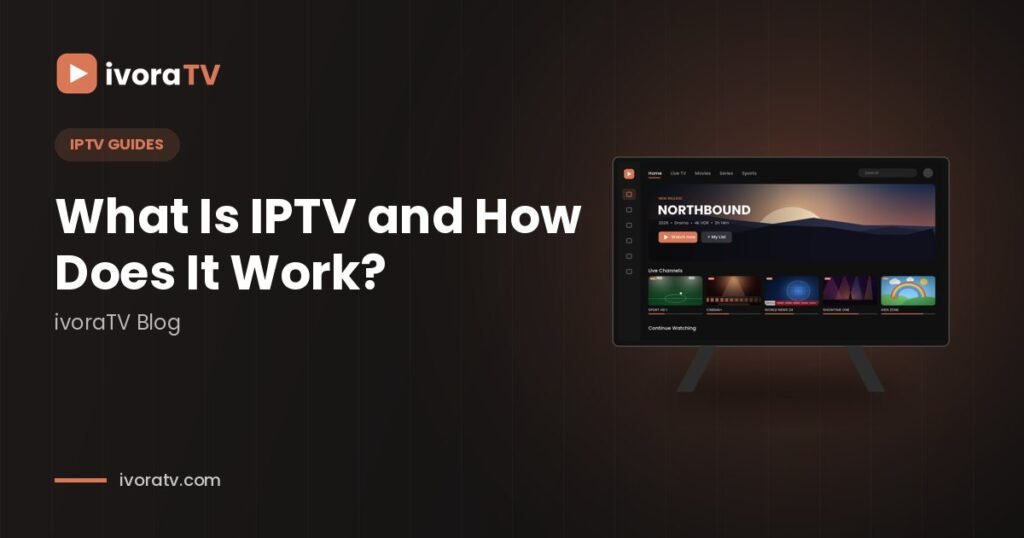
What is IPTV? IPTV stands for Internet Protocol Television. Instead of receiving TV through a satellite dish or a cable line, the channels are delivered over your internet connection and played in an app on your TV, phone or computer. If you have ever wondered what is IPTV and whether it can replace cable, this beginner’s guide explains everything in plain English.
What is IPTV and how does it work?
- The channel is captured and encoded into a digital stream.
- Servers send the stream over the internet to many viewers at once.
- Your player app (like IPTV Smarters or TiviMate) receives the stream and plays it, just like a video app.
Because it works over the internet, IPTV runs on almost any screen: Smart TVs, Firesticks, Android boxes, phones, tablets and computers.

Live TV, movies and series
- Live TV: channels as they air, with a TV guide (EPG).
- Video on demand (VOD): movies and series you can start anytime.
- Catch-up: on some channels, watch programs from the past few days.
IPTV vs cable vs streaming apps
| Cable / satellite | Streaming apps | IPTV | |
|---|---|---|---|
| Equipment | Box + cable/dish | Any device | Any device |
| Live channels | Yes | Few | Yes |
| Contract | Often | No | No |
| Installation | Technician | App | App |
Xtream Codes vs M3U: what’s the difference?
Both are ways to log in to your subscription in a player app:
- Xtream Codes: you enter a server URL, a username and a password. It loads live TV, movies, series and the TV guide automatically. Recommended for most apps.
- M3U link: a single long link that contains your playlist. Useful for players that don’t support Xtream (like VLC).
With ivoraTV, you receive both, so you can use any player.
What is EPG?
EPG means Electronic Program Guide: the TV guide that shows what is on now and next. Good players like TiviMate display it as a grid, just like cable.
What quality can you expect?
Modern IPTV services offer channels in several qualities: SD for slower connections, HD and Full HD for everyday viewing, and 4K for compatible channels and events. The quality you actually see depends on three things: the original source of the channel, your internet speed, and your device. A Full HD TV connected by Ethernet to a fast connection will show a sharper and more stable picture than an old box on weak Wi-Fi.
Which devices work with IPTV?
Almost everything with a screen and an internet connection: Amazon Fire TV Stick, Android TV and Google TV devices, Samsung and LG Smart TVs, Apple TV, iPhone and iPad, Android phones and tablets, and Windows or Mac computers. Each one uses a player app, and most players are free or have a free version. You can find step-by-step instructions for each device in our setup guides.
Can you watch on several screens?
Yes. Your login can be installed on many devices. The number of screens that can stream at the same time depends on your plan, so a family that watches on two TVs at once needs a plan that allows two connections.
Advantages and limits of IPTV
Advantages: no installation or technician, no long contract, works on almost any device, large choice of channels from many countries, and movies and series included in the same app.
Limits: it depends on your internet connection, so a weak Wi-Fi signal can cause buffering, and the experience varies a lot between providers. That is why support, stability and a clear refund policy matter when you choose a service.
What is IPTV setup like: what you need to start
- An internet connection (15 Mbps for HD, 25 Mbps for 4K)
- A compatible device
- A player app
- A subscription with your login details
Ready to set up? Follow our step-by-step setup guides.
IPTV vs OTT streaming apps
You may also hear the term OTT (over-the-top), which describes on-demand apps like Netflix or YouTube. When people ask what is IPTV compared to OTT, the simple answer is: OTT apps focus on on-demand libraries, while IPTV focuses on live channels organised like traditional TV, with a guide, channel numbers and categories, often with movies and series included as well.
IPTV glossary
- Xtream Codes: a login made of a server URL, username and password.
- M3U: a playlist link that contains your channels (see M3U).
- EPG: the electronic program guide, or TV guide.
- VOD: video on demand, the movies and series you start anytime.
- Catch-up: watch past programmes on supported channels.
- Connections: the number of screens that can stream at the same time.
- Buffering: pauses when video arrives slower than it plays.
Your first day with IPTV
Once you understand what is IPTV, getting started is quick: install a player app, log in with your details, add your favourite channels and let the TV guide load. Most people are watching within ten minutes. If anything is unclear, our support team helps by email and WhatsApp.
Who is IPTV for?
IPTV suits anyone who wants live TV without a cable contract: families who want channels from several countries, sports fans who follow leagues abroad, people who move often and do not want installation appointments, and anyone who prefers to watch on a phone, tablet or laptop as well as the TV. If you already stream films and series on demand, IPTV adds the live channels and the TV guide that those apps usually lack.
How much does IPTV cost?
Prices vary a lot between providers. As a reference, ivoraTV plans start at $14.99 for one month, and the 12-month plan costs $59.99, which works out to about $5 per month. A trial is the safest way to start: with ivoraTV you can test everything for 24 hours for $2, and every plan includes a 14-day refund policy. See the full details on our pricing section.
Is IPTV legal?
The technology itself is completely legal: many telecom companies and TV networks use IPTV to deliver their channels. What matters is the service you choose. Read the terms, the refund policy and how the provider handles support before you subscribe; our guide on how to choose a reliable IPTV provider explains what to check.
What is IPTV, in one sentence?
IPTV is live television and on-demand video delivered over the internet to an app on any screen, with a TV guide, no installation and no satellite dish. Learn more about the technology on Wikipedia, or follow our step-by-step setup guides to start watching.
Frequently asked questions
Do I need a special box for IPTV?
No. Most Smart TVs, Firesticks, phones and computers work with a free or low-cost player app.
Does IPTV need a fast internet connection?
You need a stable connection: about 15 Mbps per screen for HD and 25 Mbps for 4K.
What is the difference between IPTV and Netflix?
Streaming apps like Netflix mainly offer on-demand shows. IPTV focuses on live TV channels with a TV guide, plus movies and series.
Don’t have ivoraTV yet?
Get your login details in minutes · 14-day refund policy