An IPTV trial is the best way to know if a service works for you, on your devices and your internet connection. But 24 hours goes quickly. Most people just flick through a few channels and miss the things that matter later. Use this simple plan to test everything that counts.
Before you start your IPTV trial
Have your device ready and the right app installed before you activate the trial, so you don’t lose hours on setup. Our setup guides cover every device, and our best IPTV player apps article helps you pick an app. Start the trial in the afternoon so it includes an evening.
The 9-point IPTV trial checklist
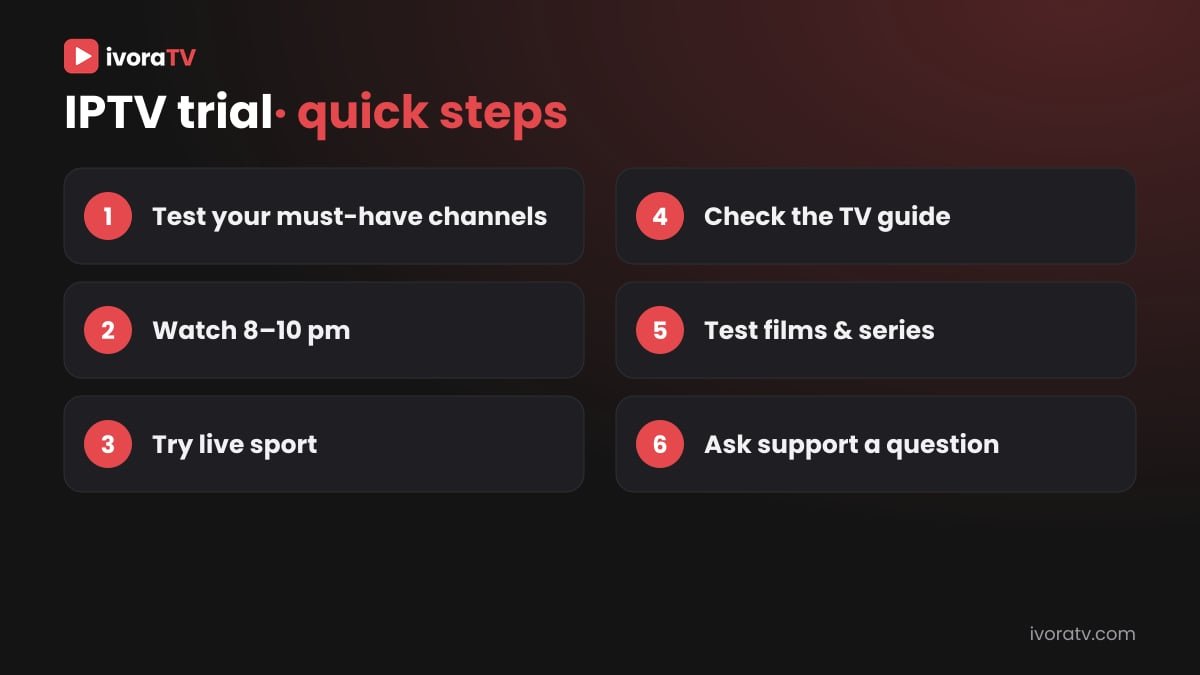
- Your must-have channels. Check the 10 channels you watch most. Do they all play, in HD?
- Peak time. Watch between 8 and 10 pm, when servers and home internet are busiest. That is the real test.
- Live sport. If sport matters, watch a live game. Is it smooth? See our sports tips.
- Channel switching. Change channels ten times. A good service switches in a second or two.
- The TV guide. Is it filled in and at the right time for your city? If not, see EPG fixes.
- Movies and series. Start a film and a series episode. Do they start quickly, with subtitles if you need them?
- 4K. If you have a 4K TV, try a 4K channel or film.
- A second device. Log in on your phone or a second TV to check the setup is easy (one screen at a time, see multiple devices).
- Support. Send a simple question to support. How fast and how helpful is the answer?
If something buffers during the IPTV trial
Don’t judge too quickly: first rule out your own connection. Run a speed test on the TV (check what you need in our speed guide, or read about how IPTV works), switch to Ethernet or 5 GHz Wi-Fi and follow our buffering fixes. If it still buffers on a good connection, tell support: a good provider will check your line.
After the IPTV trial
If everything worked, start with the plan length that suits you. Longer plans cost less per month. Check the refund policy before you pay, so you know your options. You can see ours here: 14-day refund policy.
Keep notes during the trial
It is easy to forget what you tested. Keep a short note on your phone with three columns: what you tested, on which device and the result. For example: “Sports channel, living-room Firestick, 9 pm, smooth” or “Series episode, phone on Wi-Fi, started in 3 seconds”. At the end of the 24 hours you will have a clear answer instead of a vague feeling.
Red flags during an IPTV trial
- Many of your must-have channels don’t play at all.
- Constant buffering in the evening, even on Ethernet with a good speed test.
- No TV guide on most channels.
- Support doesn’t answer within a reasonable time, or only replies with copy-pasted messages.
- Pressure to buy a long plan immediately, before your trial ends.
If you see several of these, keep looking. Our 9-point provider checklist explains what a reliable service should offer.
Choosing the right plan after your trial
If the trial went well, think about how you watch. At ivoraTV, both packs run for a full year: Standard ($89.99) covers everyday viewing in HD and Full HD, while Premium ($119.99) adds our fastest servers, more channels in 4K, free IBO Player Pro setup and 24/7 support. If you watch live sport or use several screens, Premium is the safer choice. Check how many devices you want to watch on at the same time before choosing: see IPTV on multiple devices.
Test every device during the IPTV trial
An IPTV trial is the only time you can check every screen in the house for free or for very little. Install the app on the main TV first, then on a phone and on any second TV. Use our setup guides for each device. If one device struggles while the others are fine, the device is the problem, not the service: see best device for IPTV.
Start your ivoraTV trial
Our 24-hour trial gives you access to every channel, movie and series, so you can run this full checklist on your own devices. Questions first? Message us on WhatsApp.
Frequently asked questions
How long is the ivoraTV trial?
The trial lasts 24 hours and includes every channel, movie and series, so you can test on your own devices.
When is the best time to test an IPTV trial?
In the evening between 8 and 10 pm, and during a live sports event if you watch sport. That is when servers are under the most pressure.
Can I use the trial on more than one device?
You can install it on several devices, but test one screen at a time to stay within the trial’s connection limit.
Don’t have ivoraTV yet?
Test it for 24 hours for $2 · 14-day refund policy on yearly packs