If you have never had an IPTV subscription, it can feel different from cable or a streaming app. There is no box to install and no technician. You pay for a plan, receive login details and enter them in a player app. This guide explains every step, from choosing a plan to renewing it.
What you get with an IPTV subscription
- Login details: usually an Xtream Codes login (server URL, username, password) and/or an M3U link. See Xtream Codes vs M3U.
- Access to the channel list and on-demand library for the length of your plan. You can browse ours on the channel list page.
- A TV guide (EPG) for live channels.
- Support to help you set it up. Ours is available 9am–10pm ET, 7 days a week.
What you don’t get: a device or the player app. You use your own Firestick, Smart TV, phone or computer, and a player app. ivoraTV customers use IBO Player Pro, which we activate for free (see best IPTV player apps).
IPTV subscription plan lengths
Most providers sell 1, 3, 6 and 12-month plans. The longer the plan, the lower the price per month. A sensible approach:
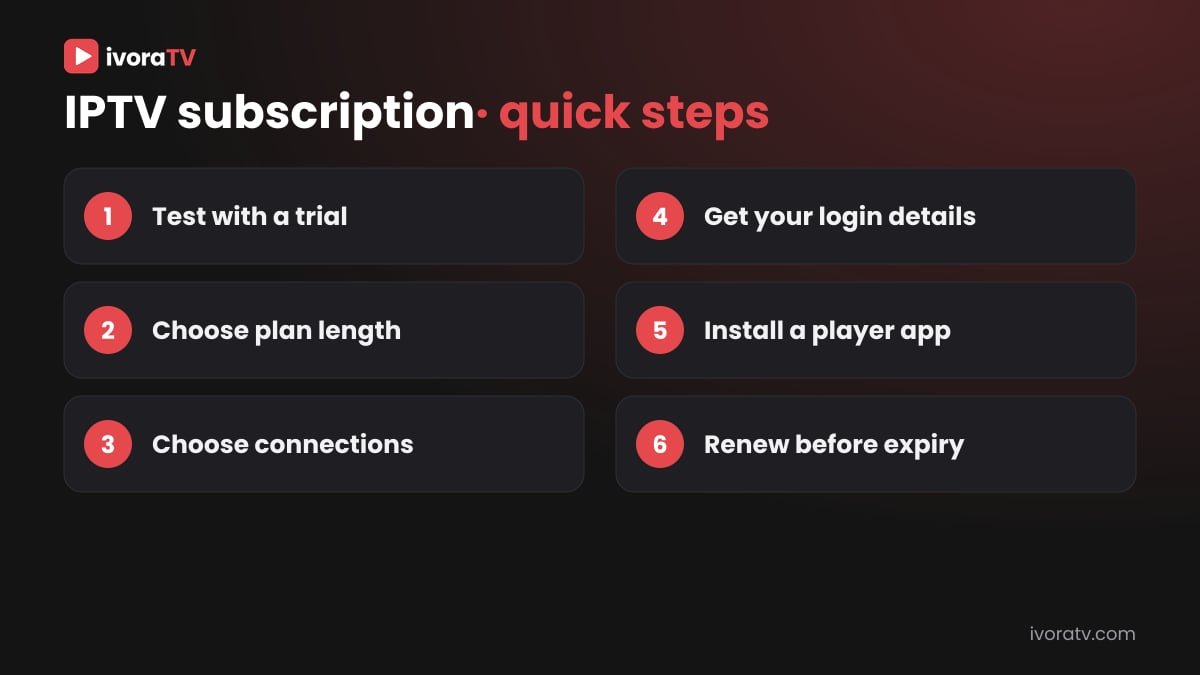
- Start with a trial to test your devices and connection (here is what to test in 24 hours).
- Choose a 12-month plan once you’re happy: it’s the lowest price per month.
At ivoraTV we keep it simple with two yearly packs: Standard ($89.99 a year) for everyday viewing, and Premium ($119.99 a year) with our fastest servers, more channels, free IBO Player Pro setup and 24/7 support.
Connections: the part people misunderstand
A “connection” is one device playing at the same time. You can usually install the app on many devices, but only as many can stream at once as your plan allows. Two people watching different TVs in the evening need two connections. Full explanation: IPTV on multiple devices.
How activation works
- Choose a plan and pay.
- Receive your login details by email or WhatsApp.
- Install a player app on your device using our setup guides.
- Enter the details and start watching.
If anything is unclear, message support with your device model: it is the quickest way to get the right instructions.
Renewing your IPTV subscription
When a plan ends, the login stops working. You will usually see “account expired”, “authorization failed” or the channels simply won’t load. When you renew, you normally keep the same login, so you don’t need to set up your apps again. Tip: renew a day or two before the end date if there is a big game coming.
Refunds
Always read the refund policy before you pay. Ours is a 14-day refund policy, with conditions explained on that page. A clear written policy is one of the signs of a reliable service: see our 9-point provider checklist.
Mistakes to avoid
- Sharing your login with friends: it uses your connections and you will see “max connections” errors.
- Posting your M3U link online: it contains your password.
- Buying 12 months without testing on your own devices and internet.
- Ignoring your internet speed: you need about 15 Mbps for HD and 25 Mbps for 4K. See our speed guide.
Is it legal?
IPTV itself is just a technology. Whether a service is legal depends on whether it has the rights to what it streams. We explain this in detail in is IPTV legal?
What affects the price of an IPTV subscription?
- Plan length: longer plans cost less per month.
- Number of connections: each extra screen watching at the same time adds to the price.
- Content and quality: services with more channels, 4K and a large on-demand library cost more to run.
- Support: real human help in your time zone is part of what you pay for.
Be careful with an IPTV subscription that looks far cheaper than everything else. Very low prices often mean overloaded servers, no support or a service that disappears.
IPTV subscription checklist before you pay
- Did you test on your own TV during the evening?
- Does the channel list include what your household watches?
- How many connections do you need?
- Is there a written refund policy?
- Can you reach support, and when?
- Do you know which app you’ll use on each device?
If you can answer yes to all six, you are ready to choose your IPTV subscription with confidence.
Can you cancel an IPTV subscription?
Most IPTV plans are paid upfront for a fixed period and don’t renew automatically, so there is nothing to cancel: the access simply ends on the expiry date unless you renew. Check how your provider handles renewals before you pay.
Your first day with a new IPTV subscription
- Set up the main TV first with our setup guides.
- Let the TV guide load fully before judging it; the first load takes a few minutes.
- Build your Favourites so the family finds their channels quickly.
- Add a second device (phone or bedroom TV) and check the connection limit.
- Save your login details somewhere safe, in case you need to reinstall an app.
A little setup on day one makes the rest of your IPTV subscription far more enjoyable.
Ready to try?
Start with our 24-hour trial, or message us on WhatsApp and tell us which devices you use.
Frequently asked questions
What do I receive after buying an IPTV subscription?
Login details for a player app: usually a server URL, username and password (Xtream Codes) and/or an M3U link. You enter them in an app on your own device.
Do I need to set everything up again when I renew?
Usually not. Renewing extends the same login, so your apps keep working with the details you already entered.
Can I use one IPTV subscription on two TVs at the same time?
Only if your plan includes two connections. You can install it on many devices, but the number playing at once is limited by your plan.
Don’t have ivoraTV yet?
Test it for 24 hours for $2 · 14-day refund policy on yearly packs