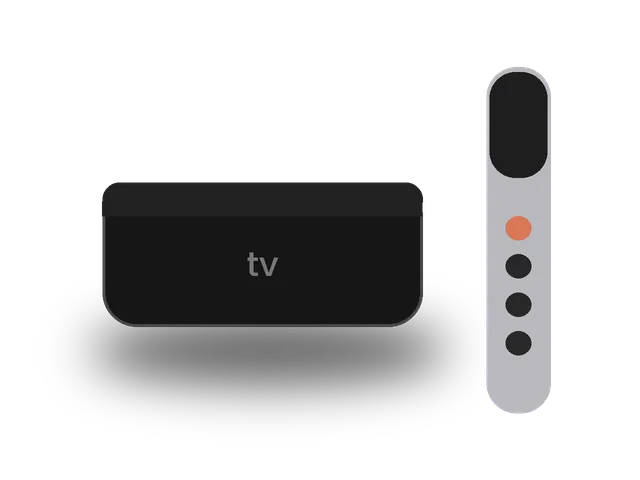
Setting up IPTV on Apple TV gives you one of the best viewing experiences available: a fast interface, a great remote and excellent picture quality on the Apple TV 4K. This guide covers the best tvOS players and how to get IPTV on Apple TV running with your ivoraTV login in a few minutes.
Best apps for IPTV on Apple TV
| App | Price | Best for | Xtream | M3U |
|---|---|---|---|---|
| iPlayTV | Paid | Best overall | ✓ | ✓ |
| GSE Smart IPTV | Free / Pro | Free option | ✓ | ✓ |
| IPTVX | Free / Premium | Modern design | ✓ | ✓ |
Which Apple TV models work?
All Apple TV 4K generations and the Apple TV HD support IPTV apps from the App Store. Older models (3rd generation and earlier) have no App Store, so they cannot run a player; in that case, use AirPlay from an iPhone or choose another device. The Apple TV 4K with an Ethernet port gives the most stable IPTV on Apple TV for live sports.
Step 1 · Install the app
- Open the App Store on Apple TVSelect Search and type the app name.
- InstallSelect Get (or the price) and confirm.
- Open the appTip: many apps let you add your playlist from your iPhone on the same Wi-Fi, which is faster than typing with the remote.
Step 2 · Log in
- Add a new source / playlistChoose Xtream Codes (sometimes called “Xtream API”).
- Enter your detailsServer URL, username and password from your ivoraTV email.
- SaveThe app loads channels, movies and series.
- Add a new source / playlistChoose M3U / URL.
- Paste your M3U linkName: ivoraTV · paste the full link from your email.
- SaveWait for the playlist to load.
Tips for smooth IPTV on Apple TV
- Use a wired Ethernet connection or 5 GHz Wi-Fi when possible.
- Restart your device and router once a week to clear memory.
- Keep the player app updated to the latest version.
- If a channel buffers, try another stream of the same channel (many channels have HD and FHD versions).
Troubleshooting IPTV on Apple TV
- “Invalid username or password”: copy the details again from your email, with no spaces at the start or end. Usernames and passwords are case-sensitive.
- Channels load but don’t play: check the server URL (including http:// and the port number), then restart the app.
- Buffering: follow our 10 buffering fixes and check the server status page.
- Still stuck? Message us on WhatsApp. Most setups are fixed in a few minutes.
Before you set up IPTV on Apple TV
A few minutes of preparation makes the setup of IPTV on Apple TV smooth. Keep your welcome email open on your phone so you can copy the login details without typos, check that your Apple TV has the latest software update, and make sure it is connected to your home network, ideally with a cable or strong 5 GHz Wi-Fi. If you share the account in your home, decide which screens will watch at the same time so your plan matches. Finally, write down the name of the player app you choose: if you ever need help, telling our team the device and the app lets us answer in a single message.
Apple TV settings for the best picture
Open Settings → Video and Audio → Match Content and turn on Match Dynamic Range and Match Frame Rate. The Apple TV will then switch to the native format of each channel, which makes sports smoother and films closer to the original. These two settings make the biggest visual difference for IPTV on Apple TV.
Wired or Wi-Fi?
The Apple TV 4K (Wi-Fi + Ethernet model) has a network port. If the router is close, use it: a cable is the most reliable way to avoid buffering during busy evenings. On Wi-Fi, connect to the 5 GHz network and keep the Apple TV out of closed cabinets.
Xtream Codes or M3U?
Choose Xtream Codes when the app supports it: it loads channels, movies, series and the guide from one login and updates automatically. The M3U link is a useful backup. With both in your ivoraTV email, you can try two apps and keep the best one for IPTV on Apple TV.
Faster setup from your iPhone
Typing with the Siri Remote is slow, so many players let you add your playlist from an iPhone on the same Wi-Fi network. Use the keyboard on your phone to paste your ivoraTV details, and IPTV on Apple TV is ready in seconds. If you also watch on the go, see our iPhone & iPad guide.
Browse all IPTV setup guides.
Frequently asked questions
Which Apple TV models support IPTV apps?
Apple TV 4K (all generations) and Apple TV HD. Older models (3rd generation and earlier) don’t have the App Store.
Is iPlayTV worth paying for?
Many users prefer it for its interface and stability. GSE Smart IPTV is a good free alternative.
Can I use AirPlay instead?
Yes, you can AirPlay from an iPhone or iPad, but a native app on Apple TV gives better quality.
Don’t have ivoraTV yet?
Get your login details in minutes · 14-day refund policy