Interest in IPTV UK services keeps growing as more people move away from long TV contracts. Before you subscribe, there are a few UK-specific points worth knowing, from the TV guide and British Summer Time to the TV Licence. This practical guide covers them all.
UK channels and the TV guide
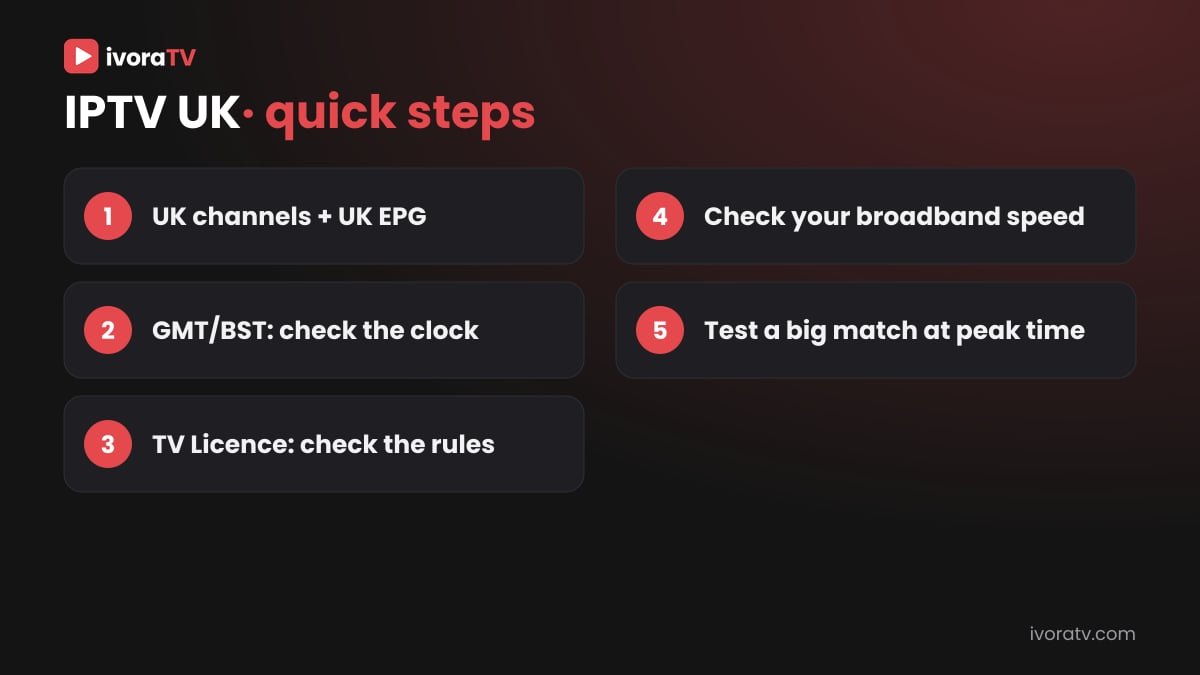
Make a list of what you watch every week: the main entertainment channels, news, kids’ channels and sport. Then check them in our IPTV channel list. A good UK service also gives you a full EPG, so your guide looks like the one you are used to on Freeview or satellite, with catch-up where available.
GMT and BST: keep the guide on time
The UK switches between GMT and BST (British Summer Time) at the end of March and the end of October. If your TV guide suddenly shows programmes an hour early or late, check your device’s time zone is set to London and automatic, then adjust the EPG time shift in your app. Full fixes: IPTV EPG not working.
IPTV UK and the TV Licence
Yes, in most cases. In the UK you need a TV Licence to watch or record live TV as it is being broadcast, on any channel and any device, and to use BBC iPlayer. That applies whether you watch through an aerial, satellite or an internet service. If you only watch on-demand content from services other than iPlayer, you may not need one; check TV Licensing’s official website for your situation.
Broadband: what speed do you need?
Most UK fibre broadband is fast enough. Plan for about 15 Mbps per HD screen and 25 Mbps per 4K screen. Part-fibre lines in some areas slow down in the evening, so test your speed around 8 pm, not in the morning. If you are on Wi-Fi, connect to the 5 GHz band of your router. More detail in our internet speed guide.
Best devices in the UK
Fire TV Stick 4K, Android TV and Google TV devices, Apple TV 4K and recent Samsung and LG TVs all work well. Older “smart” boxes from some UK broadband providers are locked down and can’t install IPTV apps. Compare them in our best device for IPTV guide, then follow the setup guide for your device.
Football weekends
Saturday afternoon and big evening matches put the most pressure on every server and on UK broadband networks. If football matters to you, test your trial during a live game. Our IPTV for sports guide explains how to get a smooth stream.
IPTV UK: recommended setup for a UK home
- Main TV: Fire TV Stick 4K Max, Android TV or Apple TV 4K, connected by Ethernet or 5 GHz Wi-Fi.
- App: IBO Player Pro on every device, activated for you for free. Prefer a cable-style TV guide? See our TiviMate setup guide.
- Other rooms: your Smart TV’s app or another stick.
- On the go: the app on your phone, on Wi-Fi where possible.
IPTV and Freeview together
Many UK households keep their aerial and Freeview for the main free-to-air channels and use IPTV for everything else: international channels, a bigger choice of films and series, and watching in rooms without an aerial socket. If you switch your TV between the two, rename the HDMI input of your stick to “IPTV” so everyone in the house finds it easily.
IPTV UK vs a TV package: is it cheaper?
For most people, yes, because there is no long contract, no equipment fee and no annual mid-contract price rise. Remember to budget for your TV Licence if you watch live TV. Our IPTV vs cable comparison explains the trade-offs.
Check the TV Licence rules yourself
The rules on when you need a TV Licence are set by TV Licensing, not by IPTV providers. Read them on the official TV Licensing website before you start, especially if you plan to watch live TV as it’s broadcast. It only takes a few minutes and avoids surprises. Every IPTV UK viewer should check this once.
Choosing an IPTV UK provider
Check that the service has clear terms, a written refund policy, a real way to contact support and payment with a receipt. Read is IPTV legal? and our provider checklist before you buy.
Frequently asked questions
Do I need a TV Licence for IPTV in the UK?
If you watch or record live TV as it is broadcast, or use BBC iPlayer, yes, whatever device or service you use.
Why is my UK TV guide an hour wrong?
Usually because of the GMT/BST change. Set your device time zone to London on automatic and adjust the EPG time shift in your app.
Can I use IPTV on my broadband provider’s box?
Often not, because many provider boxes are locked. A Fire TV Stick or Android TV device is the simplest option.
Don’t have ivoraTV yet?
Test it for 24 hours for $2 · 14-day refund policy on yearly packs